A fresh cup of coffee can brighten any morning, but have you ever wondered how long your trusty coffee maker will keep delivering that perfect brew? Many people use their coffee maker daily, often for years, without thinking about replacing it. But just like any household appliance, a coffee maker has a limited lifespan. Using an old or worn-out machine can affect the taste, safety, and even your health. In this complete guide, you’ll discover exactly how often you should replace your coffee maker, learn to spot the signs that it’s time for an upgrade, and get expert tips to make your next coffee maker last longer. Whether you own a simple drip machine or a high-end espresso maker, this article covers everything you need to know for the freshest, safest, and most enjoyable coffee at home.
How Long Does A Coffee Maker Usually Last?
The average coffee maker lifespan depends on the type, brand, and how well you care for it. For most drip coffee makers, the typical lifespan is between 3 to 5 years. Single-serve models like Keurig or Nespresso machines might last 2 to 4 years with heavy use. High-end espresso machines, if maintained properly, can work for 7 to 10 years or even longer.
But these numbers are just averages. Some coffee makers break down sooner because of poor maintenance, frequent use, or lower build quality. Others last longer, especially if you regularly clean and descale them.
Here’s a quick comparison of common types and their average lifespans:
| Type of Coffee Maker | Average Lifespan | Key Factors Affecting Lifespan |
|---|---|---|
| Drip Coffee Maker | 3–5 years | Cleaning, water quality, usage |
| Single-Serve Pod Machine | 2–4 years | Pod type, scale buildup, frequency |
| Espresso Machine (Home) | 5–10 years | Descaling, maintenance, brand |
| French Press | 5+ years | Glass breakage, gasket wear |
| Percolator | 4–8 years | Heating element, cleaning |
The first non-obvious insight: Water quality plays a big role. If you use hard water (water with lots of minerals), scale can build up faster inside your machine, shortening its life. Using filtered or soft water can help your coffee maker last longer.
Signs You Should Replace Your Coffee Maker
Knowing exactly when to replace your coffee maker isn’t always obvious. Some problems are clear, like the machine won’t turn on. Others are subtle, such as a slow brew or changes in taste. Don’t wait for a total breakdown before thinking about a new machine. Here are the most important signs:
- Strange Tastes or Smells: If your coffee tastes burnt, metallic, or just “off” even after cleaning, the internal parts might be worn out or have permanent buildup.
- Slower Brewing Time: If your coffee maker takes much longer than before to brew the same amount, it could mean there’s scale buildup in the heating element or water lines.
- Leaks or Drips: Water or coffee leaking from places it shouldn’t is a warning sign. Gaskets, seals, or internal hoses may be failing.
- Noisy Operation: Odd noises (like loud gurgling or grinding) can signal motor or pump problems, especially in pod or espresso machines.
- Inconsistent Temperature: Good coffee needs the right water temperature (usually 195–205°F or 90–96°C). If your coffee is coming out too cold or too hot, the thermostat or heating element may be failing.
- Mold or Mineral Buildup: If you see black spots or white scale inside the water tank or spout and it doesn’t come off with regular cleaning, it’s a health risk.
- Broken Buttons or Display: Unresponsive controls, flickering displays, or missing settings can make the machine hard or impossible to use.
- Manufacturer Recalls or Safety Issues: Sometimes, brands recall coffee makers for safety reasons. Using a recalled machine can be dangerous.
- Outdated Features: Older machines may not support new pods, filters, or features you want (like programmable timers or auto shut-off).
- Frequent Repairs Needed: If you keep fixing small problems, it might be cheaper and safer to buy a new one.
Factors That Affect How Long Your Coffee Maker Lasts
Every coffee maker is different, but some factors have a big impact on how long your machine will keep working well.
1. Build Quality And Brand
Higher-end brands often use better materials, like stainless steel rather than plastic. Trusted brands usually have better engineering, stronger heating elements, and longer warranties. Cheaper off-brand models might save money upfront but often wear out much sooner.
2. Frequency Of Use
Brewing three pots every day? Your machine will wear out faster than if you use it only on weekends. For heavy daily use, choose a model with a good reputation for durability.
3. Water Quality
As mentioned earlier, using hard water (with lots of calcium or magnesium) leads to faster mineral buildup. This clogs pipes, damages heating elements, and shortens the machine’s life. If you have hard tap water, using filtered or bottled water can help.
4. Cleaning And Maintenance
Regular cleaning is key. Skipping descaling or cleaning the carafe, reservoir, and filter basket lets bacteria, mold, and minerals build up inside. This not only affects taste but can also damage the internal parts.
5. Storage And Environment
Storing your coffee maker in a humid or dusty area can cause rust, electrical problems, or mold growth. Use your machine in a dry, clean space, and avoid leaving water in the reservoir when not in use.
6. Type Of Coffee Used
Some people use very fine grounds or flavored coffees with oils and syrups. These can clog filters and valves faster, leading to more frequent cleanings and possibly a shorter lifespan.
7. Power Surges
Frequent power outages or surges can damage the electronics inside your coffee maker. Using a surge protector can help protect your investment, especially for expensive machines.
Coffee Maker Replacement Timeline: What The Experts Say
There’s no single rule for when to replace your coffee maker, but most coffee experts and manufacturers suggest you consider replacing your machine every 3 to 5 years for standard drip models. For pod-based machines, every 2 to 4 years is typical, while home espresso machines can last much longer with care.
Here’s a timeline to help guide you:
| Age of Coffee Maker | Recommended Action | Reason |
|---|---|---|
| 0–1 year | Keep using | Still under warranty, likely working well |
| 1–3 years | Monitor | Start watching for performance issues |
| 3–5 years | Consider replacing | Parts may start to wear out, taste may decline |
| 5+ years | Replace | Higher risk of failure, safety issues, outdated features |
Many people are surprised to learn that even if their coffee maker is still working after five years, internal buildup and worn parts can still affect the taste and safety, even if you don’t notice a problem right away.

How To Make Your Coffee Maker Last Longer
You can extend the life of your coffee maker and enjoy better coffee by following some easy tips:
Clean Regularly
- Descale your machine every 1–3 months, depending on water hardness and usage.
- Wash the carafe, filter basket, and water reservoir with mild soap after each use.
- Wipe down the exterior and keep the warming plate clean.
Use Good Water
- Filtered or bottled water helps prevent scale and mineral deposits.
- Avoid using distilled water in some machines; it can confuse sensors and affect brewing.
Don’t Overfill
- Only use the recommended amount of water and coffee. Overfilling can lead to leaks and strain the heating element.
Replace Parts When Needed
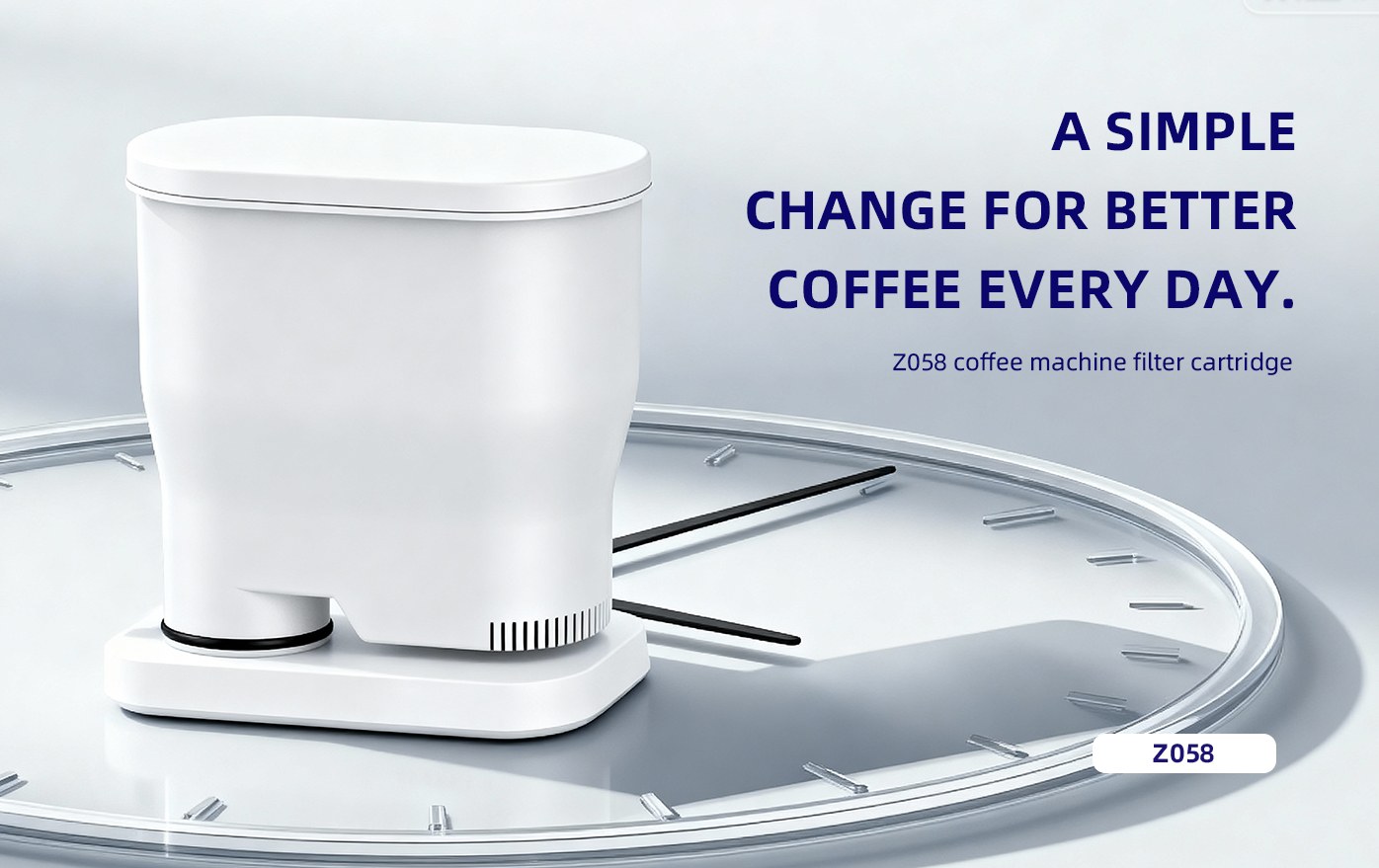
- Change water filters as recommended by the manufacturer.
- Replace worn-out gaskets, carafes, or baskets instead of the whole machine if possible.
Store Properly
- Keep your coffee maker in a dry area, away from direct sunlight and dust.
- Unplug the machine if you won’t use it for a long time.
Practical tip: If your coffee tastes strange even after cleaning, try replacing the water filter or the carafe lid. Sometimes small parts make a big difference.
Is It Safe To Use An Old Coffee Maker?
Using an old or poorly maintained coffee maker can be a health risk. Mold and bacteria can grow inside the water reservoir, pipes, and carafe—even if you can’t see them. Mineral scale can also cause the machine to overheat or leak, leading to electrical hazards.
A study by NSF International found that half of all coffee reservoirs tested contained yeast and mold, and some had more germs than bathroom door handles. To protect your health, replace your coffee maker if you see mold, can’t remove buildup, or if it smells musty.
When Upgrading Makes Sense
Sometimes, replacing your coffee maker isn’t just about age or breakdowns—it’s about getting better features or saving money in the long run. Here’s when an upgrade makes sense:
- New brewing technology: Modern machines often have better temperature control, faster brewing, or stronger flavor extraction.
- Energy efficiency: Newer models may use less electricity and have auto-off features, saving money.
- Programmable settings: Set timers, customize brew strength, or make iced coffee.
- Compatibility: Use new types of pods, reusable filters, or accessories.
- Safety features: Better protection against overheating, leaks, or electrical faults.
If your needs have changed (more people in the house, need for faster brewing, desire for espresso), a new machine can be a big improvement.
How To Choose A New Coffee Maker
When it’s time to buy a new coffee maker, focus on what really matters for your daily routine and coffee preferences. Here’s what to consider:
Type Of Coffee Maker
Decide between drip, single-serve, espresso, French press, or other styles. Think about how much coffee you drink and how much time you have in the morning.
Size And Capacity
Pick a machine that fits your kitchen and can brew enough coffee for everyone at once. If you’re short on space, a compact model or a single-serve machine might be better.
Ease Of Cleaning
Models with removable water reservoirs, dishwasher-safe parts, and simple designs are easier to keep clean and last longer.
Brewing Options
Some machines let you adjust brew strength, temperature, or timer settings. If you want more control, look for these features.
Budget And Warranty
Set a budget, but also check the warranty and support options. Spending a bit more on a reliable brand often pays off in longer life and better coffee.
Energy Use
If you care about energy bills, look for models with auto shut-off and energy-saving modes.
Compatibility
Make sure your new machine works with your favorite coffee grounds, pods, or filters. Some brands limit you to their own products, which can add to the cost.
A common mistake is to buy the cheapest model without checking reviews or the cost of filters, pods, or repairs. Sometimes a slightly pricier machine is much cheaper in the long run.

Mistakes To Avoid When Deciding To Replace Your Coffee Maker
- Waiting Too Long: Using a worn-out coffee maker can make your coffee taste bad and may be unsafe.
- Ignoring Cleaning: Not cleaning your machine can lead to early breakdowns and health risks.
- Replacing Too Soon: If your machine works well and is easy to clean, you don’t need to replace it just because it’s a few years old.
- Not Checking Recalls: Old machines may have safety recalls you don’t know about.
- Forgetting About Warranty: Some problems are covered by the manufacturer, so check your warranty before buying a new one.
- Not Recycling: Old coffee makers can be recycled at many appliance stores or e-waste centers. Don’t just throw them in the trash.
Environmental Impact: What To Do With Old Coffee Makers
Throwing out an old coffee maker isn’t great for the environment. Coffee makers contain plastic, metal, and sometimes electronics that shouldn’t go in the regular trash. Instead:
- Recycle: Many cities offer e-waste recycling for small appliances.
- Return to Store: Some retailers accept old machines when you buy a new one.
- Donate: If your machine still works, consider donating it to a charity or second-hand store.
- Repair or Repurpose: Sometimes, small repairs can give your coffee maker a second life. Or, use the carafe for other kitchen tasks.
For more on appliance recycling, see this guide from the US Environmental Protection Agency.
Frequently Asked Questions
How Do I Know If My Coffee Maker Is Making Me Sick?
If you notice strange tastes, smells, or see black or white buildup inside the machine, it could be mold or bacteria. Nausea, stomach problems, or frequent colds after using your coffee maker are also warning signs. Regular cleaning and replacing your machine when necessary keeps your coffee safe.
Can I Repair My Coffee Maker Instead Of Replacing It?
Some problems, like a broken carafe or clogged filter, are easy to fix. But if your machine has electrical issues, leaks, or a faulty heating element, repairs can be expensive or unsafe. For cheap models, replacing is usually better. For high-end espresso machines, repairs may be worth it.
Is Descaling Really Necessary?
Yes, descaling removes mineral deposits that build up inside your coffee maker. Skipping this step can cause slow brewing, bad taste, and early breakdown. Most manufacturers recommend descaling every 1–3 months, depending on your water and usage.
Does Using Filtered Water Really Make A Difference?
Filtered water helps prevent mineral scale and improves coffee taste. It can also help your machine last longer. Hard tap water can cause more buildup and damage the machine faster.
Should I Buy The Same Brand When Replacing My Coffee Maker?
Not always. It’s smart to read reviews and compare new models, as brands change their quality over time. Stick with brands known for reliability and good support, but look for features and price that fit your needs.
A good coffee maker is the heart of your morning routine. Knowing when to replace it helps you enjoy better coffee, stay safe, and save money. By watching for the signs above and caring for your machine, you’ll always have great coffee at home.